
What a technical SEO audit checks, and what to ask first
A good audit tells you what is wrong, why it costs you customers and what to fix first, in words you can use. A bad one is a long report you cannot act on. Here is what to expect, and what to ask before you pay.

A technical SEO audit checks whether Google can find, read and load your pages, and whether those pages say clearly what you do. It should end with a short list of what is wrong, why it matters to your business and what to fix first. If what you are offered is a stack of numbers and jargon, it is not that.
What I look at first: how fast the site loads
On a printing company’s site I audited, the images took more than 30 seconds to load. Nobody reads a message that has not appeared yet, so that one fault undid whatever the rest of the site was saying. It is also the first thing a visitor feels, before they read a word.
Speed is not only a matter of impatience. When the BBC measured it, it found it lost an additional 10% of users for every additional second its site took to load. That is one large site, not a promise about yours, but it shows why slow pages are worth finding first.(1)
What the audit checks
The list below is what our audit covers. It is the same list printed on the audit page, so you can hold any other provider to it.
- Every page
- Status, links, depth
- Status codes, redirects, broken links and how many clicks it takes to reach a page.
- Indexing
- What Google has
- Search Console indexing and the sitemap.
- Page text
- Titles and headings
- Page titles, meta descriptions, headings and duplicates.
- Structured data
- Matches the page
- Markup that agrees with what the page shows.
- Mobile speed
- Loads on a phone
- How quickly the pages load on mobile.
- Business details
- Match your profile
- Your details on the site against your Google Business Profile.
What turns up most often
Across the sites I have audited, three problems come up again and again: a weak H1 heading, a poor breakdown of services, and oversized images saved as JPG or PNG. Most owners would never spot them, and they matter because they sit close to what a customer actually types into Google.
- The H1 is the main heading on the page. If it does not say what you do, the page is harder to match to a search for it.
- A services breakdown that lumps everything together gives each service no page or section of its own to be found by.
- Large JPG and PNG images are often what makes a page slow. On the printing company’s site, oversized JPG and PNG files were why its images took more than 30 seconds to load.
A fix that changes nothing: adding robots.txt
Adding a robots.txt file is a common “fix” that does not lift rankings by itself. In my experience it is a myth that it helps. Google describes the file as used primarily to manage crawler traffic to your site, and says it is not a mechanism for keeping a web page out of Google. It controls crawling, not position.(2)
The lesson for buying an audit: a finding is only useful if you can say what you expect it to change. If a provider cannot, it may be filler.
What you should receive
The audits I have seen from other providers are often full of generic advice such as “write more blogs”, “improve your SEO” or “target more keywords”. Others hand over a technical report of jargon, keyword data and performance metrics and expect the owner to work out what it means. What is missing is a plain explanation of what is actually wrong, why it matters to the business and what to fix first.
- Useful
- Findings in plain English
- What is wrong, how it affects traffic or enquiries, and a priority order.
- Useful
- A clear next step
- What you can fix yourself, and what needs professional help.
- Not useful
- Generic advice
- “Write more blogs” or “target more keywords” with nothing about your site.
- Not useful
- A report of numbers
- Metrics and jargon with no explanation of what they cost you.
Ours is $1,200 (AUD including GST) for the audit and the repairs it finds on a typical small-business site. You receive a plain written list of what we found and fixed, then the site is crawled again and the sitemap resubmitted. If the site needs a rebuild instead, we tell you before any repair starts.
Three questions to ask before you pay anyone
- What exactly am I getting? Ask whether you will receive clear findings, practical recommendations and a prioritised action plan. If the answer is a technical report full of numbers and jargon, walk away.
- Will you explain how these issues are affecting my business? You want to hear how a problem could be costing you traffic, enquiries or customers, in plain English. If they cannot explain it that way, that is a red flag.
- What should I actually do afterwards? Ask which problems matter most, what you can fix yourself and what needs professional help. If every recommendation is vague, or conveniently leads to another expensive service from them, walk away.
You are paying for clarity and direction, not just a document that tells you what is wrong.
What to do yourself, for free, first
- Check your Google Business Profile. Make sure your business information is accurate, your primary category is correct and your services are listed.
- Search for your own business on Google. Try your main service and place, like “plumber in Sydney”. See whether you appear, where competitors show up and what they do differently.
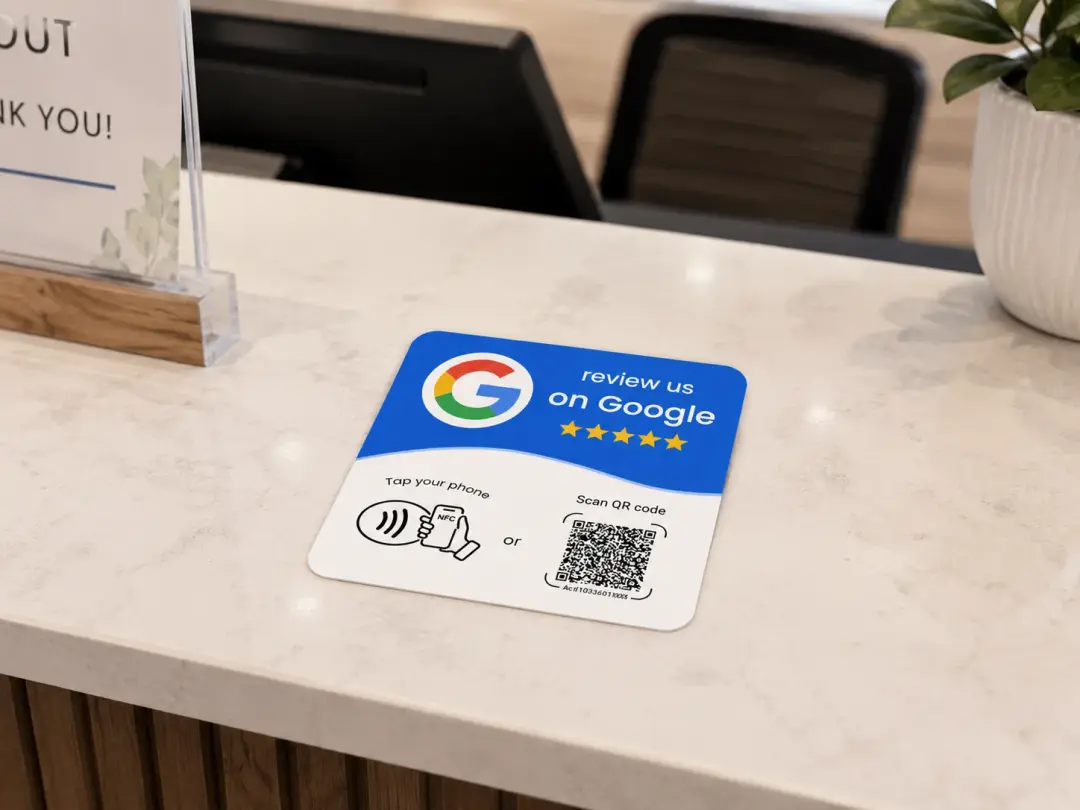
- Look at your Google reviews. Compare them with nearby competitors: do you have enough genuine reviews, and are you replying to them? Sometimes trust matters more than a new website.
- Test your website like a customer. Open it on your phone. Is it fast? Can you tell what the business offers? Is it easy to contact you or ask for a quote?
- Before paying anyone, ask for a written scope and price. An audit should help you make better decisions, not pressure you into services you may not need.
Audit, foundations or rebuild?
When someone sends me their site, I start from whether it brings in clients. A website is an additional sales channel, and an audit makes sense when it is not bringing you more of them. In my experience, owners are often drawn to heavy animation, but the sites that sell tend to have minimal elements and a clear message.
- Foundations
- A well-built site
- Clear architecture, good pages and formatting, but low impressions. It needs a quick touch-up of wording, a couple of pages and FAQs.
- Audit
- A site that is not bringing clients
- The site exists but is not producing enquiries, so something underneath needs finding.
- Rebuild
- A new direction or a broken site
- The business is changing direction, or the site is broken, poorly built or badly structured.
If your site is on Wix, Shopify or WordPress
The limits I meet most are about how much control you have over the code, structure and performance. On Wix, some technical and performance improvements are hard because you work inside the platform’s built-in system. On Shopify, some URL structures are fixed by the platform, and checkout customisations need specific apps or a higher-tier plan. WordPress is generally more flexible, but themes, plugins and page builders can mean fixing one issue risks breaking something else.
I explain this to the owner in plain English, and split it into what can be fixed now, what needs a workaround and what is not worth the cost. I would not recommend rebuilding or migrating a site over a few technical limits. If it already brings in customers, improve what matters to the business instead of chasing a perfect technical score.
Whose name should your accounts be in? What happens after we hand over
Our technical SEO audit: what we check and what you receive
References
- Google web.dev. Why does speed matter?Checked 11 October 2026.Back to text
- Google Search Central. Introduction to robots.txtChecked 11 October 2026.Back to text