





Business process automation and integrations.

  • Enter it once — Website enquiries, orders and bookings reach every tool that needs them.
  • Existing connectors first — Zapier, Make and built-in integrations before anything custom.
  • Failures flagged — Every connection checked, documented and set to tell you if it breaks.

Written quoteFixed before any work starts

AUD including GST. If an off-the-shelf tool fits, we will tell you.

Free written scope and price. Yours to keep.

Discuss your automation

Tell us what gets typed twice in your business. Get a free written scope and quote.

We only use your details to reply to you.

Prefer to talk? Call 0468 397 383

  • JingTale

    Extremely satisfied with the results.

  • Madeus Cellar
  • Kibble & Co.

    WebsLead is very good, they were able to satisfy all of my requirements in web structure, design, and security. My website was built very quickly with no issues, I’m very happy with the result! Highly recommended platform for those who want something fresh instead of browsing through different templates on Wix.

  • UGCFrame

    They turned our idea into a product people use, and explained every step without the jargon we were dreading.

  • LocalReviewDesk

    Clear scope, fair price, and it shipped when they said.

Is automation right for you?

You retype the same details.

Stop copying enquiries, orders and bookings between systems.

Your tools do not talk.

Join your website, store, bookings and accounts.

Copy-and-paste eats hours.

Let routine steps run by themselves, with checks.

What an integration does.

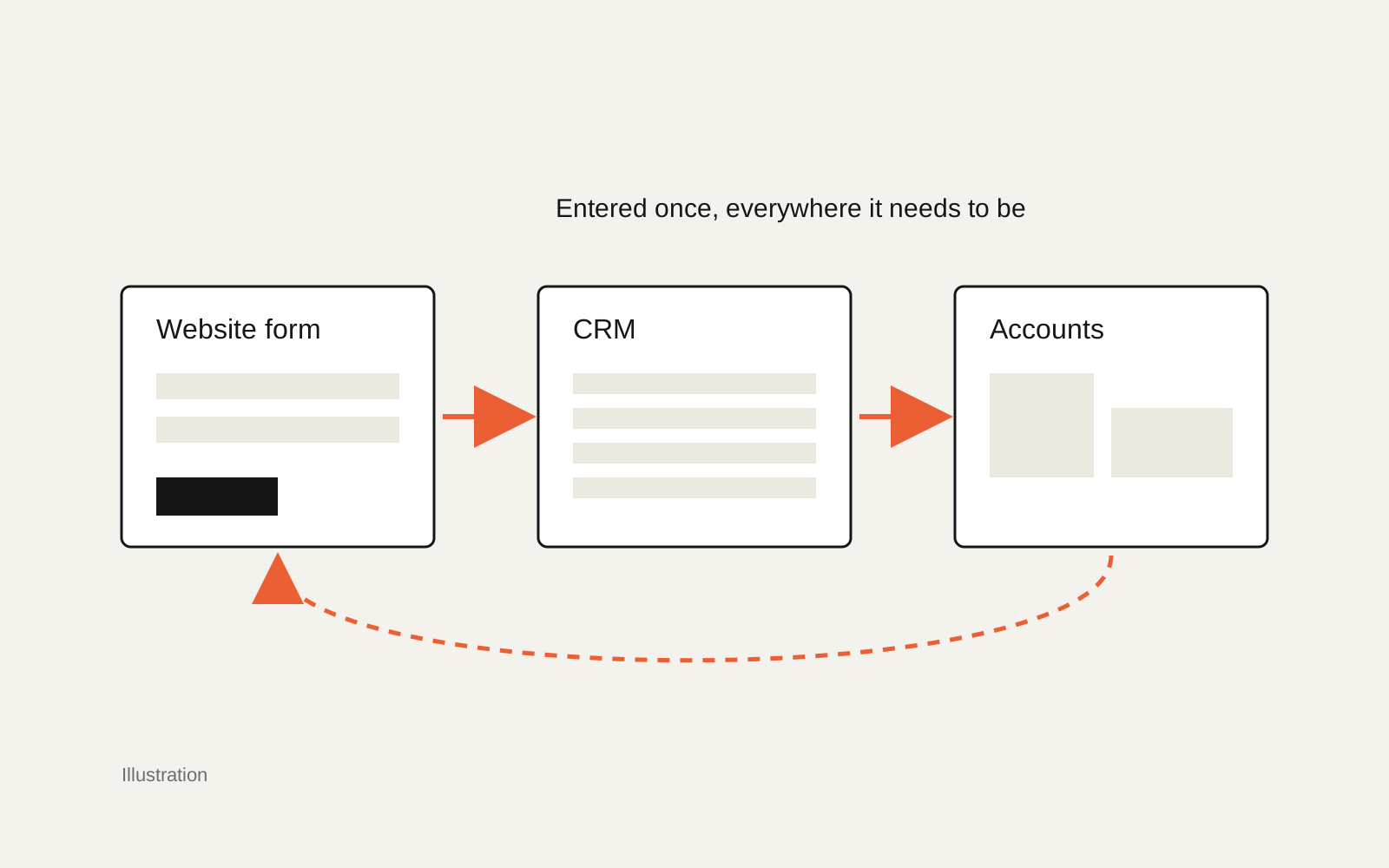
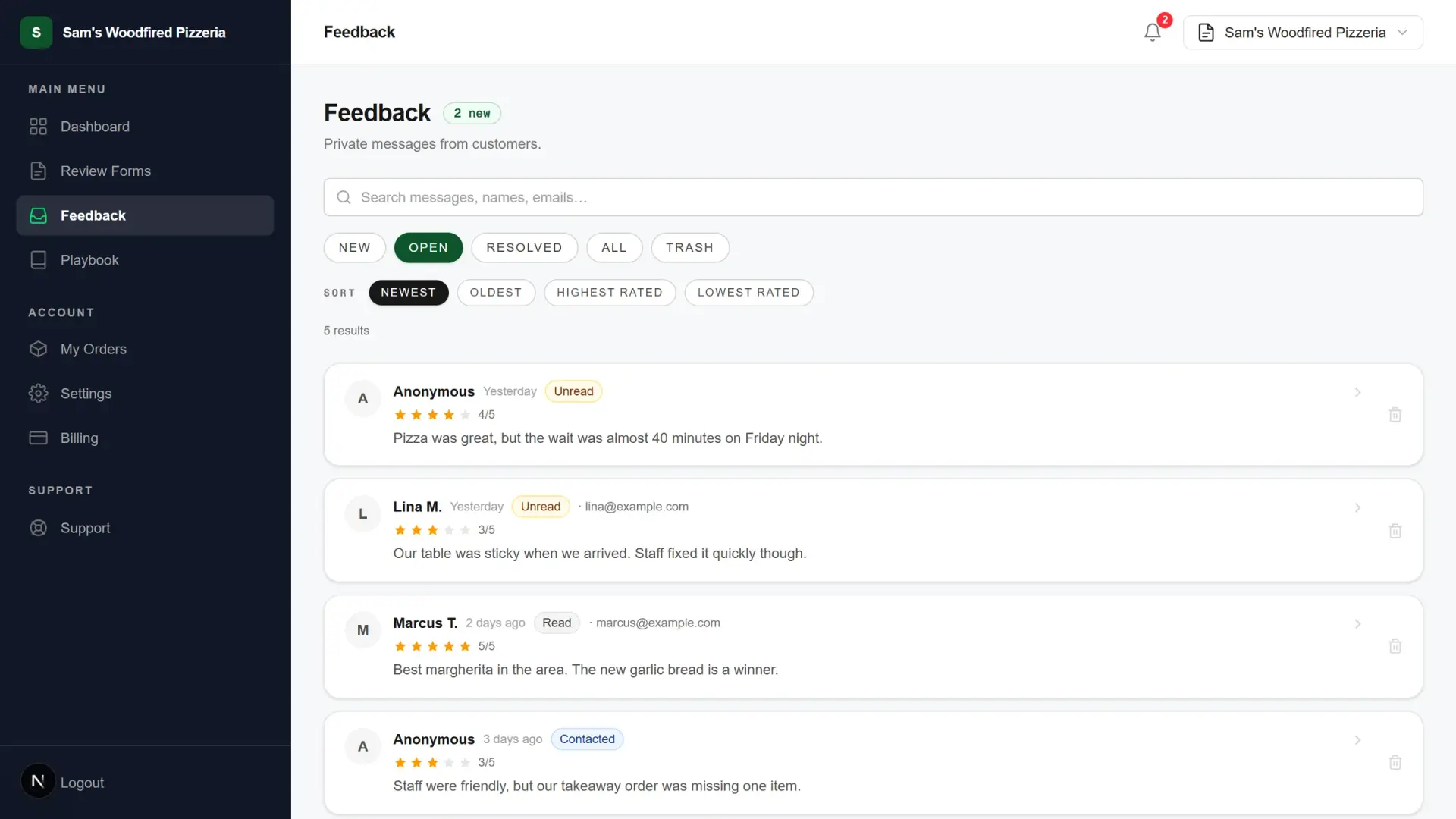
A drawn illustration of the flow and a records screen from our own build, where connected enquiries arrive. Demo data.

Illustration of a website form, a CRM and an accounts tool connected so information moves between them.
Illustration of an integration, not a client build: one entry, sent everywhere it needs to go.
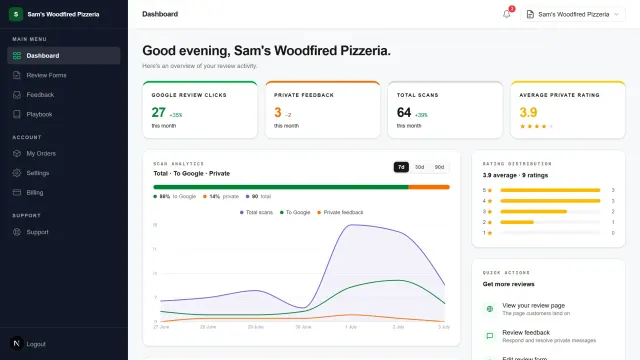
The LocalReviewDesk feedback inbox for a demo pizzeria: customer messages as records with ratings and statuses, filtered and sorted.
Every customer message as a record with a status, filtered and sorted. From our own build, demo data.

Choose your automation scope.

Start with existing connectors, and add a custom piece only where they cannot reach. Every project is quoted in writing.

Automations with existing tools

Start here

For tools that already offer integrations.

Written quote

AUD incl. GST · fixed before work starts

Zapier, Make or built-in connectors, set up and tested.

Tools
Zapier, Make, built-in
Testing
Real examples
Checks
Failures flagged
Running cost
Their plan, if any

Custom API integration

For tools that do not connect out of the box.

Written quote

AUD incl. GST · fixed before work starts

A small custom piece where connectors cannot reach.

APIs
Where tools allow
Logic
Your rules
Checks
Failures flagged
Docs
What runs where

Custom CRM

For a job or sales process a hosted CRM cannot hold.

Written quote

AUD incl. GST · fixed before work starts

Customers, jobs and follow-ups in one record you own.

Records
Customers, jobs, notes
Pipeline
Your real stages
Follow-ups
Automatic reminders
Enquiries
Arrive from your site
Seats
No per-seat fees

What moves the price

How many people use it, which systems it connects to and how much existing data has to come across. Your written quote is fixed before any work starts.

The honest limit

An integration depends on what each tool allows. Some do not let other software connect, and when that happens we tell you before the work starts rather than building around it badly.

From double handling to connections that run.

Your written quote includes a schedule. We build in stages you can use and review, not one long wait.

  1. List

    Step 1: List the double handling

    Where the same information is typed twice, and what it costs you each week.

  2. Choose

    Step 2: Use what exists first

    Built-in integrations and existing connectors before anything custom.

  3. Connect

    Step 3: Connect the tools

    Each connection set up, with a small custom piece only where needed.

  4. Test

    Step 4: Test with real examples

    Each connection tested with real enquiries, orders or bookings before it goes live.

  5. Test

    Step 5: Set up failure alerts

    If a connection breaks, you are told instead of it failing quietly.

  6. Handover

    Step 6: Hand it over

    A plain record of what runs where and how to switch it off.

What our clients say.

Read reviews on Google
Jeremy L.Google

WebsLead is very good, they were able to satisfy all of my requirements in web structure, design, and security. My website was built very quickly with no issues, I'm very happy with the result! Highly recommended platform for those who want something fresh instead of browsing through different templates on Wix.

Leyan H.Google

Had our site redesigned by them and really happy with the result. Easy to deal with, good communication, and the new site looks great. They do prefer email over calls, which is totally fine by me. Would definitely recommend them.

Eskay Y.Google

Worked with him back in 2023 when he was still freelancing. Really nice to see how much WebsLead has grown so much.

Automation and integration FAQs.

Not answered here? Call 0468 397 383.

Which business processes can be automated?

Anything typed more than once or done the same way every time: website enquiries into a CRM, orders into your accounts, bookings into reminders, new customers onto a mailing list. We start with the double handling that costs you the most time.

Do you use Zapier or Make?

When they do the job reliably, yes, because they are cheaper to run. Custom code is for connections they cannot handle. Any subscription they need is yours and listed in the quote.

Zapier or Make: which is better?

It depends on the tools you connect and how complex the steps are. Both are solid for small businesses; we choose by which supports your tools, runs your volume affordably and is easier for you to look after.

Can you connect Xero to my other tools?

Usually. Xero has many existing integrations and an API. We use an existing connection where one fits and build a small custom piece where it does not.

How much does an integration cost?

A written quote, fixed before work starts. Simple automations with existing connectors cost far less than custom integrations; we tell you which you need first.

What happens when a connection breaks?

It is set up to tell you, so a failure never goes unnoticed, and the documentation shows what runs where and how to switch it off.

Get a clear quote for your software.

Tell us the problem. We will tell you if an existing tool already solves it.